
GoPro MISSION 1 Pro Log settings
Four settings, in this order. Log looks flat out of the camera and gives you the most room to grade.
- 10-bit
- Max bit rate
- GP-Log2
- Fixed white balance
Overcrank is free to start. iOS 17 and watchOS 10 or later.
The four settings, in order
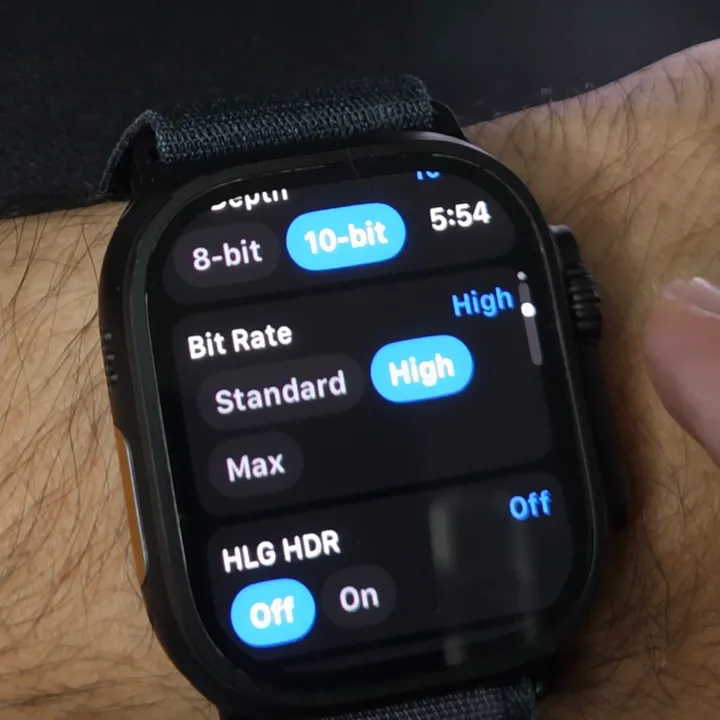
Bit Depth
10-bitOver a billion colours, so grades don't band. Set it first.
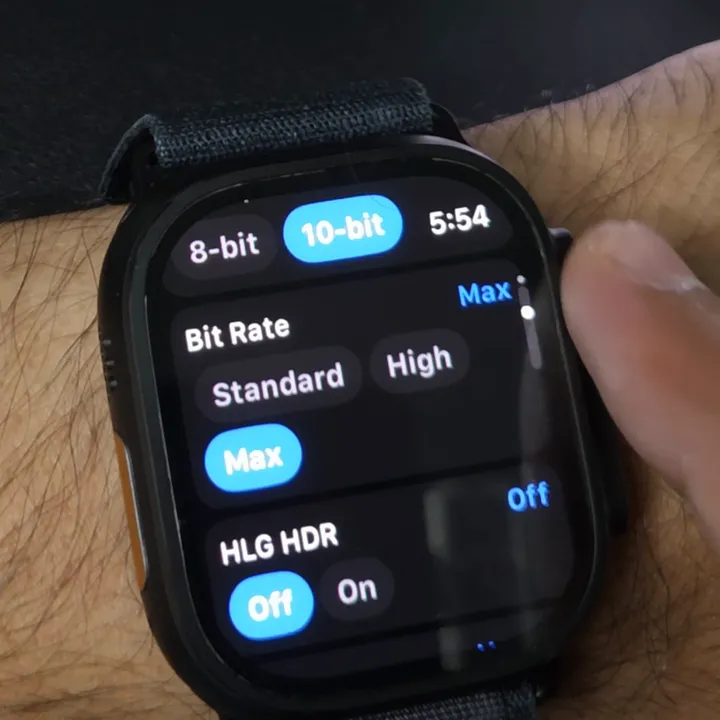
Bit Rate
MaxThe least compression, so more detail survives the grade.
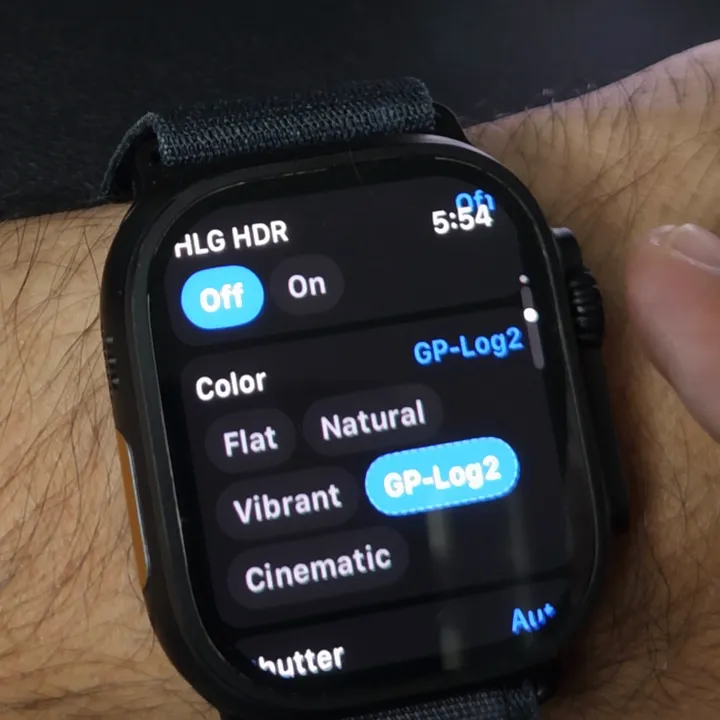
Color
GP-Log2Flat on purpose: it keeps the most dynamic range for grading.
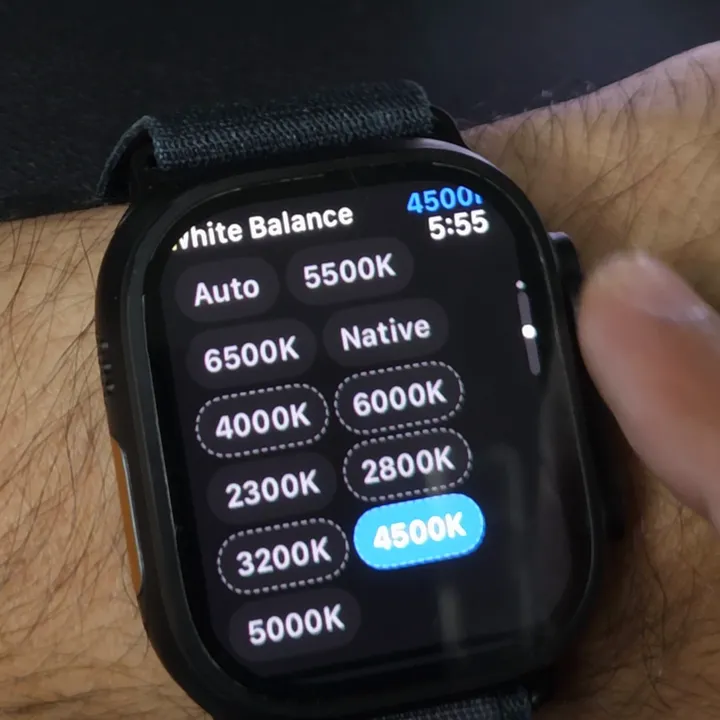
White Balance
4500KAny fixed value that matches your light. Auto drifts between shots.
Why 10-bit goes first
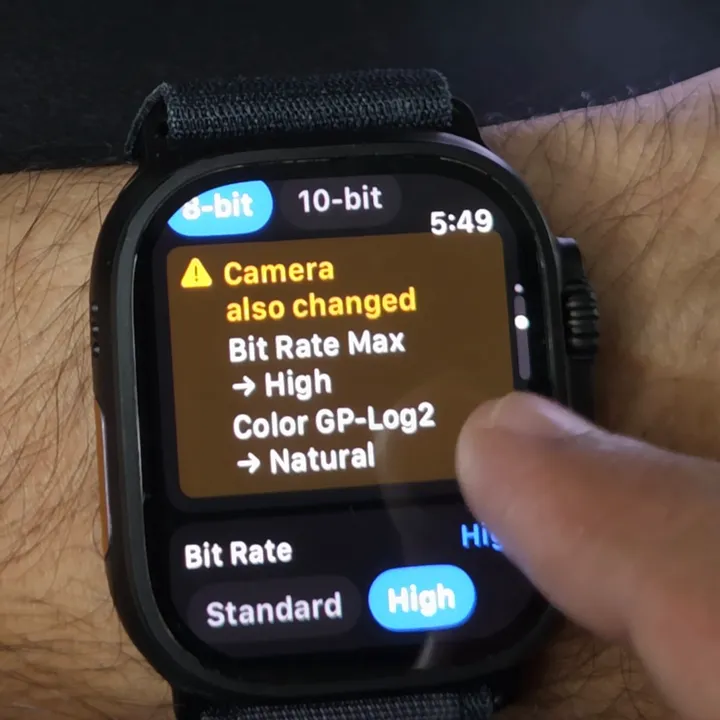
You set Bit Depth: 8-bit
Max and GP-Log2 need 10-bit. Going back to 10-bit didn't bring them back, so set 10-bit before the other three. Four more like this
Know before you shoot Log
Light
Not for low light
GoPro limits ISO to 400 in GP-Log2.
Editing
It needs a grade
It looks washed out until you apply a conversion or grade it.
Storage
Bigger files
Max bit rate fills cards faster. Check recording time left.
Questions
What is GP-Log2?
GoPro's log colour profile. It keeps more dynamic range, which helps in bright scenes, and looks washed out until you grade it.
Why did my GP-Log2 setting switch back to Natural?
On our camera, switching Bit Depth to 8-bit changed it, and Bit Rate dropped from Max to High. Set 10-bit, then set both again.
What white balance should I use for Log?
A fixed value that matches your light, not Auto. We used 4500K indoors; the camera offers 2300K to 6500K.
Can you shoot GP-Log2 in low light?
Not well. GoPro limits ISO to 400 in Log and doesn't recommend it for darker scenes.
Can I set up Log from an Apple Watch?
Yes. All four settings above were set from an Apple Watch running Overcrank Pro, connected to a MISSION 1 Pro. GoPro no longer makes a watch app. Every GoPro Apple Watch app, compared.
Overcrank is an independent app, not affiliated with or endorsed by GoPro, Inc. Photographed on a GoPro MISSION 1 Pro, 30 August 2026. Firmware updates can change the options and how they interact.