
GoPro MISSION 1 Pro remote: every way to control it
Five ways. GoPro lists both of its remotes as compatible with the MISSION 1 Pro: The Remote (US $84.99, up to 60 m) and the Waterproof Shutter Remote (US $59.99, up to 20 m). The Quik app and voice commands are free. An Apple Watch app puts record, modes and status on the wrist you already wear.
- Both GoPro remotes fit MISSION 1 Pro
- 3 free options
- Checked on gopro.com, 5 October 2026
MISSION 1 Pro remote options, compared
| The RemoteGoPro | Shutter RemoteGoPro, waterproof | Quik appGoPro, on your phone | Voice controlBuilt into the camera | OvercrankApple Watch app (ours) | |
|---|---|---|---|---|---|
| Price | US $84.99 | US $59.99 | Free | Free | FreePro US $9.99 once |
| Works with MISSION 1 Pro | YesPer GoPro | YesPer GoPro | Yes | Yes | YesTested |
| Start and stop recording | Yes“Total control” | Yes | Yes | Yes | Yes |
| Change modes | Yes“Total control” | No or not stated | Yes | Yes | Yes |
| See battery and card | YesOn its screen | YesLED only | Yes | No or not stated | YesOn the watch |
| Change camera settings | No or not stated | No or not stated | Yes | No or not stated | YesPro |
| Range, per maker | Yes60 m / 196 ft | Yes20 m / 65 ft | No or not stated | YesWithin earshot | YesBluetooth |
the maker says it does this—no, or the maker doesn't say
GoPro describes The Remote as “total control of your camera” without listing each function, so those cells quote it. The Shutter Remote's one button takes photos and starts and stops video, and its LED confirms that the camera got the command. Voice commands are GoPro's list for the MISSION 1 series. We make Overcrank, and we've tested it on the MISSION 1 Pro only.
MISSION 1 Pro remote range
GoPro rates The Remote at up to 60 m (196 ft) and the Waterproof Shutter Remote at up to 20 m (65 ft). Both figures are for optimal conditions. GoPro also warns that range can drop when the camera records at higher resolutions and frame rates, which is how most people shoot a MISSION 1 Pro.
An Apple Watch talks to the camera over Bluetooth too, so treat it like the remotes: it works best with the camera in sight, on your helmet, bars or a nearby mount. We don't publish a range figure for Overcrank because we haven't measured one.
Use your Apple Watch as a MISSION 1 Pro remote
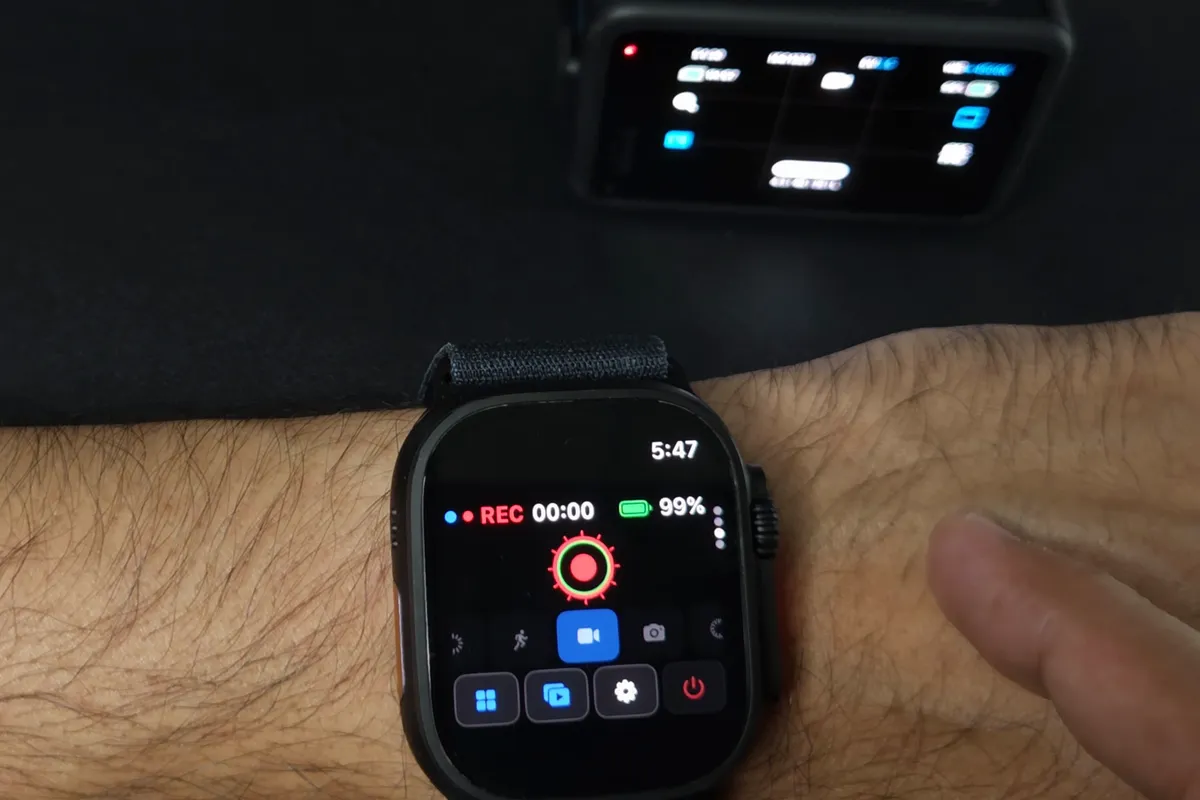
If you already wear an Apple Watch, it can do most of what The Remote does. Overcrank connects to the MISSION 1 Pro over Bluetooth and puts the record button, mode switch and the camera's battery and card status on your wrist, with no iPhone needed for those. Pro (US $9.99, once) adds the camera's settings and a framing preview relayed from your iPhone.
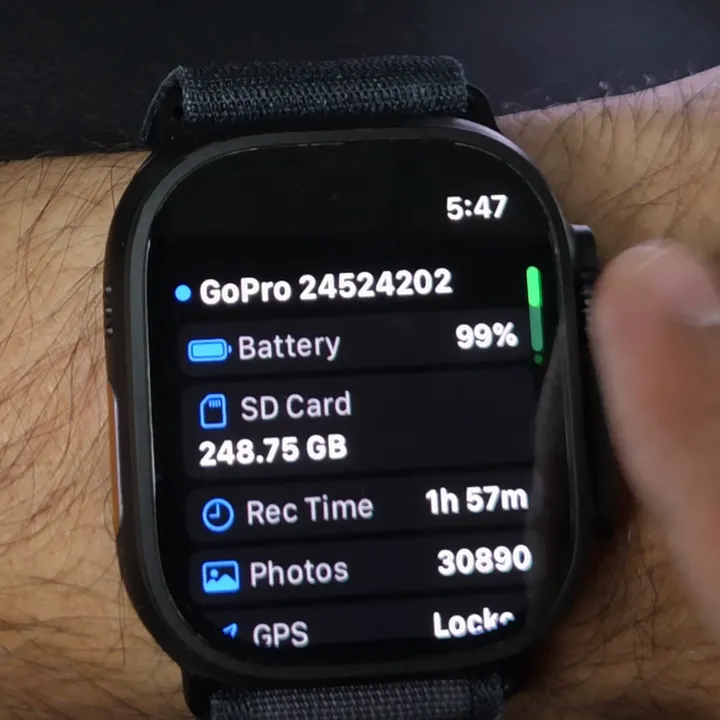
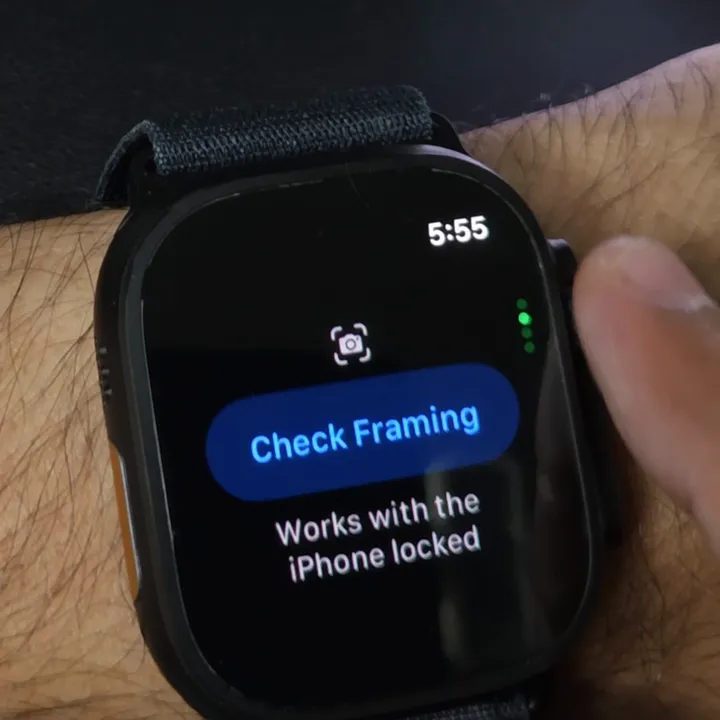
How to connect a GoPro to Apple Watch takes 3 steps.
Apple Watch as a MISSION 1 Pro remote: the 1:48 tutorial
Which MISSION 1 Pro remote should you get?
You run several cameras, or want the longest range
The Remote
A status screen, up to 5 cameras and up to 60 m, per GoPro.
You only need record and stop, in rain or snow
Waterproof Shutter Remote
One button and an LED, for less than The Remote.
You already wear an Apple Watch
Overcrank
Record, modes and status free; the camera's settings in Pro. Tested on this camera.
The camera can hear you
Voice control
Free and built in. Wind and engine noise are its limit.
Questions
Does The Remote work with the MISSION 1 Pro?
Yes. GoPro lists the MISSION 1 Pro, MISSION 1 and MISSION 1 Pro ILS as compatible with The Remote and with the Waterproof Shutter Remote.
What is the range of a GoPro remote on the MISSION 1 Pro?
GoPro rates The Remote at up to 60 m (196 ft) and the Waterproof Shutter Remote at up to 20 m (65 ft), both in optimal conditions. GoPro adds that range can drop when the camera records at higher resolutions and frame rates.
How much is a MISSION 1 Pro remote?
On gopro.com (5 October 2026), The Remote is US $84.99 and the Waterproof Shutter Remote is US $59.99. GoPro Premium subscribers see $49.99 and $47.99.
Can I control a MISSION 1 Pro with an Apple Watch?
Yes, with a third-party app. GoPro no longer makes a watch app. Overcrank is tested on the MISSION 1 Pro: record, modes and battery and card status are free, and the camera's settings and a framing preview are in Pro. Every GoPro Apple Watch app, compared.
Does Overcrank work with the MISSION 1 Pro ILS?
It isn't tested on the ILS yet. Overcrank is hardware-tested on the MISSION 1 Pro only, so that's the one camera we can vouch for.
Can I start a MISSION 1 Pro recording with my voice?
Yes. MISSION 1 series cameras take voice commands to start and stop recording, take photos and change modes, as long as the camera can hear you over wind and engine noise. GoPro's command list.
Overcrank is an independent app, not affiliated with or endorsed by GoPro, Inc. GoPro, MISSION, The Remote and Quik are GoPro's; prices, compatibility and range are from gopro.com on 5 October 2026 and can change.